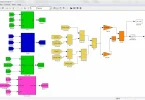
Every engineer remembers the first time MATLAB stopped looking like a wall of intimidating windows and started feeling like a tool. The learning curve is real but shorter than most newcomers fear, especially if you focus on the small set of skills that power almost every beginner project. This guide to MATLAB for beginners walks through those essentials in the order you will actually need them: understanding the workspace, working with arrays, writing scripts, visualising results, and debugging calmly when things go wrong. Master these, and you can complete a meaningful first project this week.
Getting Comfortable With the Environment
MATLAB is built around a few panels worth knowing by name. The Command Window is where you type instructions and see immediate results, perfect for quick experiments. The Workspace panel shows every variable currently in memory, with its size and type, which makes it your best friend when results look strange. The Editor is where scripts live: saved files of commands that run in sequence, turning one-off experiments into repeatable work.
Beginners often try to do everything in the Command Window and lose their work when they close the program. A better habit from day one is to experiment in the Command Window but save anything valuable into a script. That single discipline separates frustrating sessions from productive ones, and it is the foundation of every serious workflow built on MATLAB for beginners.
Variables, Arrays, and the Logic of Matrices
MATLAB’s name comes from “matrix laboratory,” and arrays are its native language. A variable might hold a single number, a row of measurements, or a full table of data, and most operations apply to the whole array at once. This is the key mental shift: instead of writing loops to handle one value at a time, you write expressions that transform entire datasets in a single line.
Creating arrays is simple: square brackets collect values, the colon operator builds ranges, and functions like linspace generate evenly spaced points for plots and simulations. Indexing, selecting elements by position, takes an afternoon to learn and a lifetime to appreciate. Once arrays feel natural, the rest of the language, from statistics to signal processing, becomes variations on a theme you already understand.
Plotting: Where Results Become Understanding
Calculation is only half the job; engineers must also show what the numbers mean. MATLAB’s plotting tools turn arrays into line graphs, scatter plots, bar charts, and surfaces with a handful of commands. A good beginner habit is to plot early and often, because a graph reveals errors, such as a wrong unit or a sign mistake, that a table of numbers hides completely.
Learn to label axes, add titles and legends, and hold multiple lines on one figure for comparison. These presentation basics matter in coursework and industry alike, where a clear figure in a report often communicates more than three paragraphs of explanation. Many tutorials on MATLAB for beginners rush past plotting; treat it instead as a core skill equal to the calculations themselves.
Scripts, Functions, and Thinking in Steps
Once individual commands make sense, the next step is organising them. A script solves one problem from start to finish: load data, process it, plot the result. Functions go further, accepting inputs and returning outputs, so the same code can be reused across projects without copying and pasting. Writing your first function, perhaps one that converts units or computes an average with error handling, is a genuine milestone.
Plan before you type. Write the steps of your solution in plain words as comments, then translate each line into code beneath it. This approach, called pseudocode, is how professionals prevent the blank-page panic that stops many learners. Interestingly, the same step-by-step clarity helps in everyday technical tasks far from engineering: anyone who has followed a careful guide to fixing account access problems has seen how a logical sequence, checking one thing at a time, beats random guessing.
Simulating Chance: A Fun First Project
An ideal first project combines several skills at once, and simulating random events is perfect for this. MATLAB’s random number functions let you model coin flips, dice rolls, or fluctuating sensor readings, then plot how the averages settle as trials increase: a living demonstration of probability theory. Games built around randomness use exactly these principles; examining the mathematics inside promotions such as this guide to wagering requirements and game rules shows how probability and expected value quietly govern real-world offers, and simulating them in MATLAB makes those abstract ideas concrete and memorable.
Extend the project by recording results across thousands of trials and graphing the distribution. You will practise arrays, loops, functions, and plotting in one exercise, and end with something genuinely worth showing a tutor or employer.
Debugging Without the Panic
Errors are not a sign you are bad at this; they are the normal texture of programming. When MATLAB prints a red message, read it slowly: it names the line, the function, and usually the real cause, such as mismatched array sizes or a misspelled variable. Check the Workspace to see what your variables actually contain, rather than what you assume they contain; most beginner bugs live in that gap. Fix one thing at a time and rerun, so you know which change mattered. Keeping a small notebook of errors you have solved, and how, turns today’s frustration into tomorrow’s quick fix, and quietly builds the calm confidence that distinguishes experienced users.
Above all, be patient with the first fortnight. Every experienced user once stared at the same four panels wondering where to begin, and fluency arrives faster than it feels like it will. Short daily sessions beat occasional long ones, and each small finished task, a plot produced, a function written, a simulation completed, makes the next session easier to start.
Conclusion
MATLAB for beginners becomes manageable the moment you stop trying to learn everything and focus on the essentials: the workspace, arrays, scripts, plots, and a calm, step-by-step approach to problems. Practise these through one small, complete project rather than endless disconnected exercises, and the program transforms from an obstacle in your course into one of the most useful tools of your career. Start simple, plot everything, and let each finished project fund the confidence for the next.