
If you’re stepping into the world of scientific computing, data analysis, or engineering simulations, understanding the top MATLAB software solutions can completely transform your workflow. MATLAB isn’t just another programming environment—it’s a powerful platform that combines numerical computing, algorithm development, data visualization, and more, all under one roof.
In this detailed guide, I’ll walk you through everything you need to know about the best MATLAB software solutions, how to use them, and why they are so helpful.
What Is MATLAB?
MATLAB (short for MATrix LABoratory) is a high-level programming language and interactive environment designed for numerical computing, data analysis, and visualization. Engineers, researchers, and scientists use MATLAB for tasks ranging from basic calculations to advanced machine learning projects. Its strength lies in combining computational power with an intuitive interface, which makes it ideal for solving complex problems without diving into low-level programming.
But MATLAB alone is just the starting point. The real magic comes from exploring the top MATLAB software solutions, which include toolboxes, apps, add-ons, and online resources that make the platform even more powerful and user-friendly.
Why You Should Use the Top MATLAB Software Solutions
Using MATLAB’s core functionality is already impressive, but the top solutions extend its capabilities significantly. Here’s why you should consider using them:
- Boost Productivity – Pre-built functions and toolboxes save you hours of coding.
- Enhance Accuracy – Tested algorithms and packages reduce the risk of errors.
- Visualize Data Better – Interactive plots and visualization tools make complex data easier to interpret.
- Integrate with Hardware – Connect MATLAB with Arduino, Raspberry Pi, or other devices for real-world applications.
- Collaborate Easily – Cloud-based tools and MATLAB Drive make teamwork seamless.
Now, let’s explore the top MATLAB software solutions in detail.
1. MATLAB Toolboxes: Specialized Libraries for Every Task
Toolboxes are pre-built collections of functions and algorithms designed for specific applications. They are essential because they let you accomplish complex tasks without starting from scratch.
Key Toolboxes:
- Signal Processing Toolbox – Analyze, filter, and visualize signals for engineering or research purposes.
- Image Processing Toolbox – Work with images, perform segmentation, and analyze patterns in computer vision projects.
- Statistics and Machine Learning Toolbox – Run statistical analyses, build predictive models, and implement machine learning workflows.
- Control System Toolbox – Design, simulate, and analyze control systems for mechanical and electrical applications.
- Deep Learning Toolbox – Build and train neural networks using pre-configured layers and workflows.
These toolboxes are designed to reduce development time while offering powerful functionality for specialized tasks.
2. MATLAB Simulink: Modeling and Simulation Made Easy
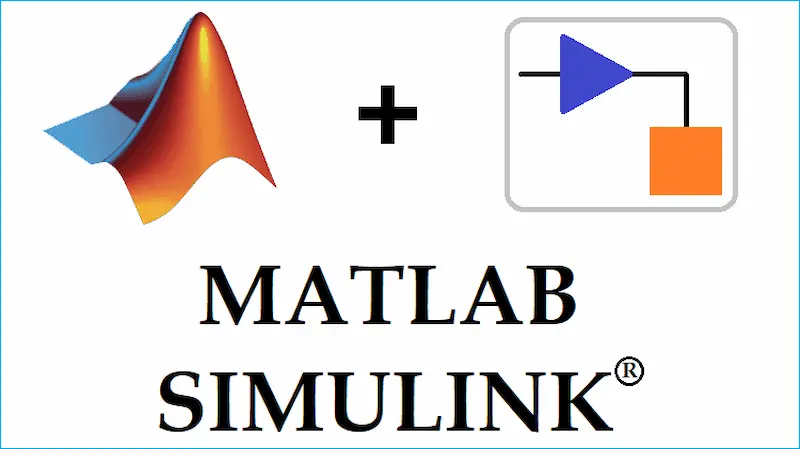
Simulink is a graphical programming environment within MATLAB that lets you design and simulate dynamic systems using block diagrams instead of traditional code.
Why Simulink is popular:
- Ideal for engineers in control systems, robotics, and signal processing.
- Allows simulation of real-world systems before implementation.
- Supports integration with hardware for real-time testing.
- Provides extensive libraries for electrical, mechanical, and aerospace systems.
With Simulink, you can model a complex system visually, test different scenarios, and validate results—all without writing extensive code.
3. MATLAB Apps: Interactive Tools for Everyday Tasks
MATLAB Apps make it easier to perform complex operations interactively. These apps often come with GUI (Graphical User Interfaces) so you don’t need to write code from scratch.
Popular MATLAB Apps:
- Curve Fitting App – Fit data to different curves and visualize results quickly.
- Signal Analyzer – Analyze, filter, and compare multiple signals interactively.
- Image Segmenter – Segment images for analysis in research or medical imaging projects.
- Control System Tuner – Adjust control system parameters in real time for optimal performance.
These apps are especially useful for beginners or those who want to visualize results without coding every step.
You may also like to read this:
Exploring New Discoveries MATLAB Applications In 2025
MATLAB Software Tools Guide: Complete Beginner Tutorial
Best MATLAB Add-Ons 2026: Boost Your Productivity
Useful MATLAB Programming Tools Explained In A Simple Way
MATLAB Extensions And Applications Explained Simply
4. MATLAB Add-Ons: Extend MATLAB’s Functionality
MATLAB Add-Ons are extra packages, functions, or tools that you can install to enhance your MATLAB experience.
Key Add-Ons:
- Hardware Support Packages – Connect MATLAB to devices like Arduino, Raspberry Pi, and LEGO Mindstorms.
- MATLAB Drive – Cloud storage for files, scripts, and projects accessible from anywhere.
- File Exchange Submissions – Community-contributed functions and apps for specialized tasks.
- Toolbox Updates – Keep your toolboxes up to date with new features.
Add-ons are a flexible way to customize MATLAB to your specific needs.
5. MATLAB Compiler and MATLAB Coder: Share Your Work
These tools let you convert MATLAB code into standalone applications or generate code for other platforms.
- MATLAB Compiler – Create standalone apps or executables that don’t require MATLAB installed on the user’s system.
- MATLAB Coder – Generate C/C++ code from MATLAB scripts for integration with other software.
This is extremely useful if you want to deploy MATLAB algorithms in production environments or share them with non-MATLAB users.
6. MATLAB Online and MATLAB Mobile: Access Anywhere
If installing MATLAB locally isn’t convenient, you can use:
- MATLAB Online – Run MATLAB directly from your web browser.
- MATLAB Mobile – Access MATLAB from your smartphone or tablet, run scripts, and visualize results on the go.
This flexibility ensures you can work on your projects anytime, anywhere, without being tied to a specific device.
7. MATLAB Integration: Work with Other Programming Languages
MATLAB is highly compatible with other programming languages and platforms. You can:
- Call Python scripts from MATLAB.
- Generate C/C++ code with MATLAB Coder.
- Integrate with Java, SQL databases, and cloud services.
This versatility makes MATLAB a central hub for computational projects across different technologies.
FAQs
Q1: Is MATLAB free to use?
A: MATLAB offers a free trial and student versions. Universities often provide campus licenses. MATLAB Online also has limited free features.
Q2: Which toolbox should a beginner start with?
A: For beginners, the basic MATLAB toolbox is ideal. If you’re studying engineering, Simulink is highly recommended.
Q3: Are MATLAB add-ons safe?
A: Official add-ons from MATLAB’s Add-On Explorer are verified and safe. Avoid third-party sources unless verified.
Q4: Can MATLAB integrate with Python or C++?
A: Yes! MATLAB can call Python scripts and generate C/C++ code, making it highly versatile.
Q5: What is the difference between MATLAB and Simulink?
A: MATLAB is a programming environment for computation and analysis. Simulink is a graphical environment for modeling and simulating dynamic systems.
Conclusion
Exploring the top MATLAB software solutions opens up a world of possibilities. From toolboxes and Simulink to apps, add-ons, and mobile solutions, MATLAB provides tools for every type of project. Whether you’re analyzing data, designing algorithms, or simulating real-world systems, the right MATLAB solutions save time, enhance productivity, and enable more accurate results.
By understanding and using these tools, you can make MATLAB work for you—whether you’re a student, researcher, or professional engineer. The best part? Most of these solutions are designed to be intuitive, so you can focus on solving problems, not writing endless lines of code.