
If you are an engineer looking to save time, improve accuracy, and make your projects more efficient, MATLAB toolkits for engineers are your secret weapon. MATLAB is widely recognized as one of the most powerful environments for computation, modeling, and simulation. But the real power comes from its toolkits—also called toolboxes—which provide specialized functions tailored for specific engineering tasks.
In this guide, we’ll explore the most useful MATLAB toolkits for engineers, their applications, and how you can get started using them.
What Are MATLAB Toolkits?
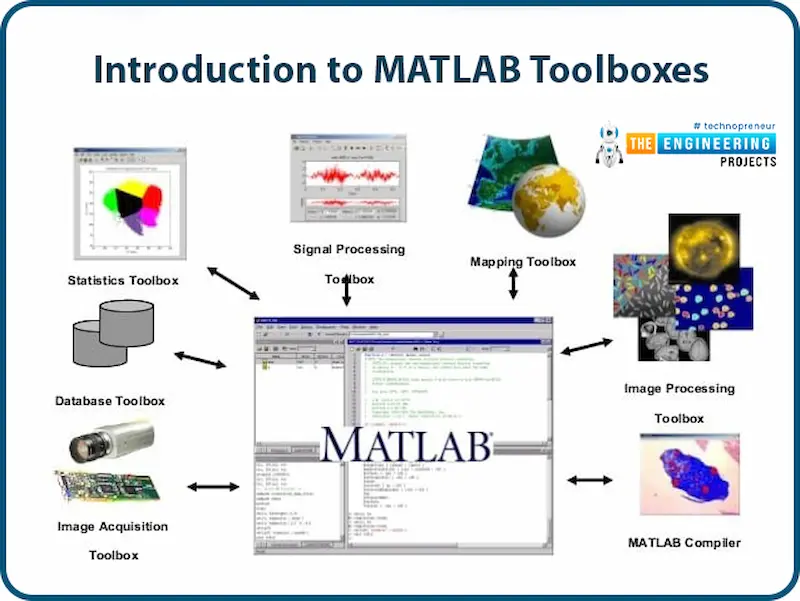
MATLAB toolkits are prebuilt collections of functions, apps, and Simulink blocks designed to extend the functionality of the core MATLAB software. Each toolkit targets a specific domain or type of problem. For engineers, this means that tasks like signal processing, control system design, or mechanical simulation can be done more efficiently without writing code from scratch.
Think of MATLAB toolkits as ready-made engineering assistants—they save time, reduce errors, and help you focus on solving problems instead of programming routines.
Top MATLAB Toolkits for Engineers
1. Signal Processing Toolbox
Who should use it: Electrical engineers, communication engineers, biomedical engineers.
This toolbox is essential for anyone working with signals. Whether you are analyzing sensor data, sound waves, or communication signals, it provides a robust set of tools for signal analysis and visualization.
Key Features:
- Filtering: Low-pass, high-pass, band-pass, and custom digital filters.
- Transformations: Fourier, wavelet, and Hilbert transforms for signal analysis.
- Spectral Analysis: Power spectral density, frequency response, and signal decomposition.
- Real-time Signal Processing: Monitor and analyze live data from sensors.
Applications:
- Biomedical signal analysis (EEG, ECG)
- Audio and speech signal processing
- Communication signal testing and analysis
2. Control System Toolbox
Who should use it: Mechanical engineers, robotics engineers, automation engineers.
Designing stable and efficient control systems is vital in modern engineering. This toolbox provides the tools to model, analyze, and optimize linear and nonlinear control systems.
Key Features:
- PID Controller Design and Tuning
- State-space and transfer function modeling
- Frequency-domain analysis (Bode plots, Nyquist plots)
- System stability and robustness analysis
Applications:
- Robotics arm movement control
- Industrial process automation
- Aerospace flight control systems
Pro Tip: Combine this toolbox with Simulink to simulate control systems in real-world scenarios before implementation.
3. Optimization Toolbox
Who should use it: Industrial engineers, civil engineers, mechanical engineers.
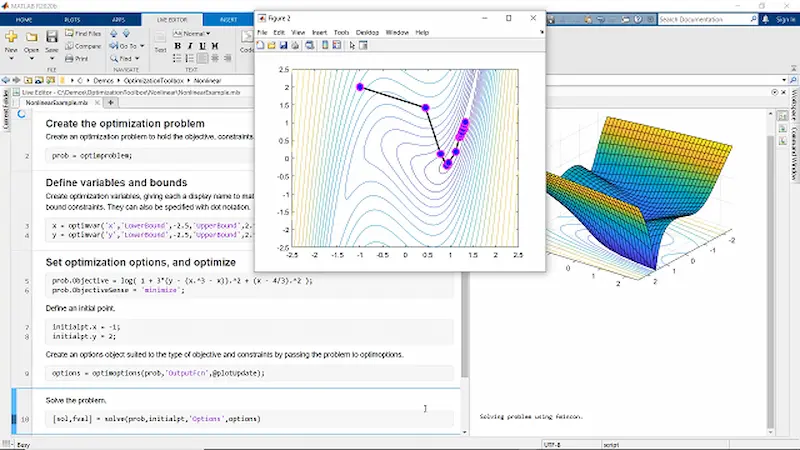
Whenever you face design problems that require maximizing efficiency or minimizing cost, the Optimization Toolbox becomes indispensable. It provides advanced algorithms to find the best solutions in complex engineering systems.
Key Features:
- Linear, nonlinear, and mixed-integer optimization
- Constrained and unconstrained optimization
- Multiobjective and global optimization
- Gradient-based and derivative-free optimization methods
Applications:
- Structural design optimization
- Resource allocation in manufacturing
- Energy-efficient system design
4. Image Processing Toolbox
Who should use it: Robotics engineers, biomedical engineers, computer vision researchers.
For engineers dealing with images, this toolbox allows advanced image processing and analysis with minimal coding effort.
Key Features:
- Image enhancement and restoration
- Segmentation and object detection
- Feature extraction for pattern recognition
- Integration with machine learning for classification tasks
Applications:
- Automated quality inspection in factories
- Medical image analysis (MRI, X-rays)
- Vision systems in autonomous robots
5. Simscape and Simulink Toolboxes
Who should use it: Mechanical, electrical, and systems engineers.
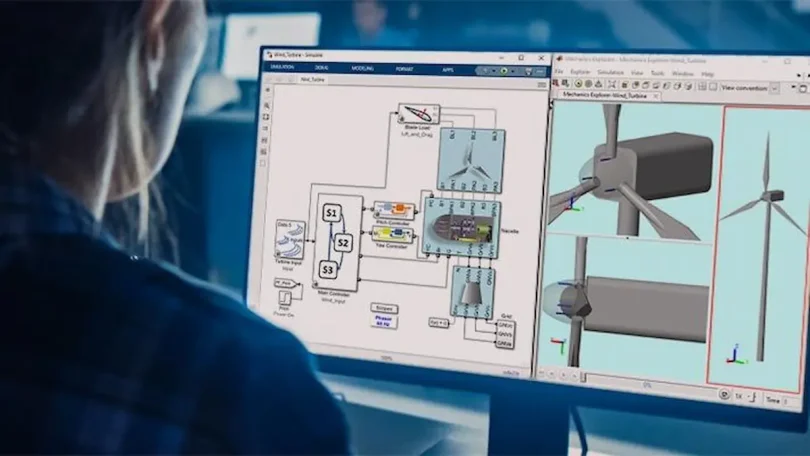
Simscape and Simulink provide a visual environment for modeling, simulating, and analyzing physical systems. They are perfect for engineers who need to prototype and test systems virtually.
Key Features:
- Graphical system modeling and simulation
- Multiphysics system analysis (mechanical, hydraulic, electrical)
- Real-time simulation for testing controllers and sensors
- Integration with MATLAB scripts for data analysis and automation
Applications:
- Automotive system simulations
- Hydraulic and mechanical system design
- Control system verification and testing
You may also like to read this:
Exploring New Discoveries MATLAB Applications In 2025
MATLAB Software Tools Guide: Complete Beginner Tutorial
Best MATLAB Add-Ons 2026: Boost Your Productivity
Useful MATLAB Programming Tools Explained In A Simple Way
MATLAB Extensions And Applications Explained Simply
Essential Top MATLAB Software Solutions For Professionals
6. Aerospace Toolbox
Who should use it: Aerospace and aviation engineers.
This specialized toolbox is designed for flight simulation, aerospace system modeling, and trajectory analysis.
Key Features:
- Flight dynamics modeling
- Aerospace sensor simulation
- Trajectory planning and guidance
- Visualization of aerospace data
Applications:
- Satellite and UAV design
- Flight control system simulation
- Aerospace research and development
7. Robotics System Toolbox
Who should use it: Robotics engineers, automation engineers, researchers in AI and robotics.
This toolbox makes robotic modeling, simulation, and control easier. It supports everything from trajectory planning to integration with hardware robots.
Key Features:
- Kinematics and dynamics modeling of robots
- Path planning and trajectory optimization
- Hardware integration with ROS-enabled robots
- Simulation of robotic systems in real-world environments
Applications:
- Industrial automation
- Autonomous robots
- Research in humanoid and mobile robots
Benefits of Using MATLAB Toolkits for Engineers
- Efficiency: Toolkits provide prebuilt functions, saving hours of coding.
- Accuracy: Trusted algorithms reduce errors in calculations.
- Versatility: Toolkits cover multiple engineering disciplines.
- Integration: Seamless integration with hardware and other software.
- Simulation and Testing: Virtual simulations allow testing before physical implementation.
By using these toolkits, engineers can focus more on solving problems rather than building algorithms from scratch.
How to Get Started
Getting started with MATLAB toolkits is straightforward:
- Open MATLAB and navigate to the Add-Ons menu.
- Search for the toolbox you need (e.g., “Signal Processing Toolbox”).
- Click Install—the toolkit will integrate with your MATLAB environment.
- Explore the examples and demos included to understand applications in real projects.
Pro Tip: Always check the documentation; MATLAB provides extensive tutorials and sample code for every toolbox.
Final Thoughts
For modern engineers, MATLAB toolkits for engineers are not optional—they are essential. From designing control systems and processing signals to developing robotic systems and optimizing complex projects, MATLAB’s toolkits streamline engineering workflows and enhance productivity.
By leveraging these toolkits, engineers can solve real-world problems faster, more accurately, and with greater innovation.
FAQs: MATLAB Toolkits for Engineers
1. What are MATLAB toolkits?
MATLAB toolkits (or toolboxes) are collections of specialized functions, apps, and Simulink blocks that extend MATLAB for specific engineering tasks like signal processing, control systems, or robotics.
2. Do I need MATLAB toolkits for engineering projects?
Yes. Toolkits save time, reduce errors, and simplify complex tasks, making engineering projects faster and more efficient.
3. Which MATLAB toolkits are most useful for engineers?
Common toolkits include: Signal Processing, Control System, Optimization, Image Processing, Simscape & Simulink, Robotics System, and Aerospace Toolbox.
4. Can I use MATLAB toolkits without coding experience?
Yes. Many toolkits offer graphical interfaces and apps for tasks like signal analysis, control design, or system simulation, though basic MATLAB knowledge helps.
5. How do I install MATLAB toolkits?
Go to Add-Ons in MATLAB, search for the desired toolkit, click Install, and follow instructions. Examples and documentation are included.