
MATLAB extensions and applications play a major role in turning MATLAB into a complete technical computing platform rather than just a programming language. If you’ve ever opened MATLAB and thought, “This is powerful, but I wish it could do more for my specific work,” you’re already thinking in the right direction. MATLAB extensions and applications are designed to give you exactly that “more” — without forcing you to build everything from scratch.
In this detailed guide, I’ll explain MATLAB extensions and applications step by step, using simple language and real-world examples, as if we’re having a one-on-one conversation.
Understanding MATLAB Extensions and Applications
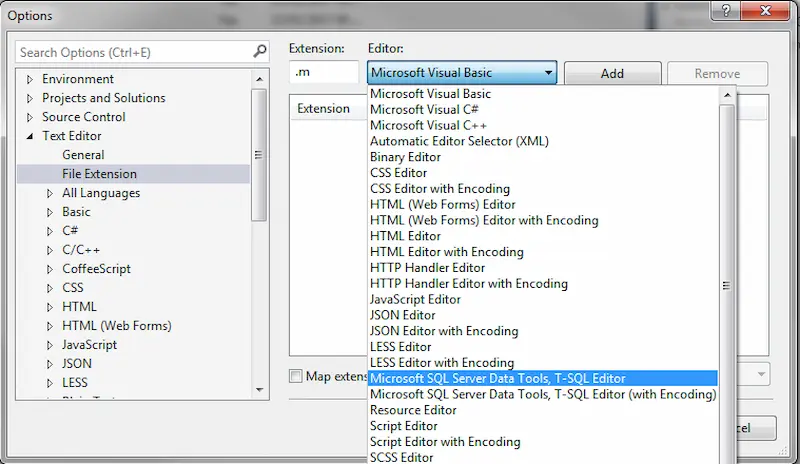
At its core, MATLAB is excellent for numerical computation, visualization, and basic programming. However, real-world problems are often specialized. This is where MATLAB extensions and applications come in.
- Extensions expand MATLAB’s functionality by adding domain-specific algorithms, functions, and workflows.
- Applications (Apps) provide ready-to-use graphical tools that allow you to perform advanced tasks with minimal coding.
Together, they help you customize MATLAB according to your field, project, or industry.
Why MATLAB Extensions and Applications Are So Important
Let’s be honest: time and accuracy matter. MATLAB extensions and applications exist because they solve common problems efficiently and reliably.
Here’s why professionals rely on them:
- They reduce development time by offering pre-built solutions.
- They improve reliability with well-tested algorithms.
- They make complex analysis more accessible.
- They allow faster experimentation and prototyping.
Instead of spending days coding, you can often solve the same problem in minutes using the right extension or app.
Major Types of MATLAB Extensions
1. Toolboxes
Toolboxes are the backbone of MATLAB extensions and applications. Each toolbox focuses on a specific domain and integrates seamlessly with base MATLAB.
Some widely used toolboxes include:
- Signal Processing Toolbox for filtering and spectral analysis
- Image Processing Toolbox for image enhancement and segmentation
- Statistics and Machine Learning Toolbox for data modeling and prediction
- Control System Toolbox for system modeling and stability analysis
- Optimization Toolbox for solving constrained and unconstrained problems
Toolboxes are especially useful because they follow MATLAB’s consistent syntax and documentation style.
2. Support Packages
Support packages are extensions that allow MATLAB to interact with external hardware and software platforms.
Common use cases include:
- Connecting MATLAB with Arduino or Raspberry Pi boards
- Using GPUs for high-performance computing
- Interfacing with cameras, sensors, and industrial equipment
These MATLAB extensions and applications bridge the gap between theory and real-world implementation.
3. MATLAB Apps
Apps are interactive tools with graphical interfaces. They are perfect if you want quick insights or are still learning MATLAB.
Popular apps include:
- Curve Fitting App
- Classification Learner
- Signal Analyzer
- Image Labeler
Apps allow you to visualize results instantly, adjust parameters interactively, and even generate MATLAB code automatically.
Practical Applications of MATLAB Extensions and Applications
Engineering and System Design
Engineers use MATLAB extensions and applications for simulation, modeling, and design.
Examples include:
- Simulating control systems before hardware implementation
- Designing communication systems
- Analyzing mechanical and electrical components
Simulink, combined with MATLAB toolboxes, is widely used in automotive, aerospace, and robotics industries.
Data Analysis and Machine Learning

In data-driven projects, MATLAB extensions and applications simplify the entire workflow:
- Importing and cleaning datasets
- Exploring data visually
- Training machine learning models
- Evaluating performance metrics
With built-in learners and visualization tools, MATLAB makes machine learning more approachable.
Image, Audio, and Signal Processing
This is one area where MATLAB truly shines.
Using MATLAB extensions and applications, you can:
- Enhance medical images
- Analyze speech and audio signals
- Detect patterns in time-series data
- Perform feature extraction and classification
These capabilities are heavily used in healthcare, defense, and research sectors.
Academic Research and Scientific Computing
For researchers and students, MATLAB extensions and applications provide:
- Reproducible experiments
- High-quality plots and visualizations
- Easy implementation of mathematical models
Many scientific publications rely on MATLAB extensions for simulation and validation.
You may also like to read this:
Current MATLAB Scientific Research: Key Insights & Trends
Exploring New Discoveries MATLAB Applications In 2025
MATLAB Software Tools Guide: Complete Beginner Tutorial
Best MATLAB Add-Ons 2026: Boost Your Productivity
Useful MATLAB Programming Tools Explained In A Simple Way
How to Access and Install MATLAB Extensions
MATLAB makes installation simple through the Add-On Explorer:
- Open MATLAB.
- Click on “Add-Ons.”
- Search for the required extension or app.
- Install and start using it immediately.
This streamlined process ensures you can focus on work, not setup.
Choosing the Right MATLAB Extensions and Applications
To avoid overwhelm, follow these tips:
- Start with your problem, not the toolbox list.
- Choose extensions that match your industry or coursework.
- Use apps for exploration and scripts for automation.
- Expand gradually as your needs grow.
Remember, the goal is productivity, not collecting every extension available.
Best Practices for Using MATLAB Extensions
- Read example files and documentation.
- Combine apps with custom MATLAB scripts.
- Keep extensions updated for better performance.
- Use version control when working on large projects.
Smart use of MATLAB extensions and applications can significantly improve your workflow.
Final Thoughts
MATLAB extensions and applications are what transform MATLAB into a flexible, industry-ready platform. They allow you to move from idea to solution faster, with greater confidence and accuracy. Whether you’re an engineer, student, data analyst, or researcher, understanding and using these extensions will make your MATLAB experience far more powerful and enjoyable.
FAQs: MATLAB Extensions and Applications
1. What are MATLAB extensions and applications?
MATLAB extensions and applications are add-ons that expand the core capabilities of MATLAB. Extensions include toolboxes and support packages that add specialized functions, while applications (apps) are interactive, GUI-based tools that help you perform tasks such as data analysis, modeling, and visualization with minimal coding.
2. Why should I use MATLAB extensions and applications instead of writing my own code?
Using MATLAB extensions and applications saves time and effort. They provide pre-built, tested, and optimized algorithms, which reduces errors and improves accuracy. Instead of developing everything from scratch, you can focus on solving your actual problem faster.
3. Are MATLAB extensions and applications suitable for beginners?
Yes, many MATLAB extensions and applications are beginner-friendly. Apps, in particular, are ideal for new users because they offer visual workflows and step-by-step processes. Beginners can learn concepts quickly and even generate MATLAB code from apps to understand how things work.
4. How do I install MATLAB extensions and applications?
You can install MATLAB extensions and applications using the Add-On Explorer inside MATLAB. Simply open MATLAB, click on “Add-Ons,” search for the extension or app you need, and install it. Once installed, it becomes immediately available in your MATLAB environment.
5. Do MATLAB extensions and applications require additional licenses?
Some MATLAB extensions and applications are included in standard licenses, while others require separate licenses. Academic, student, and professional licenses may have different access levels, so it’s important to check license requirements before installing a toolbox or app.