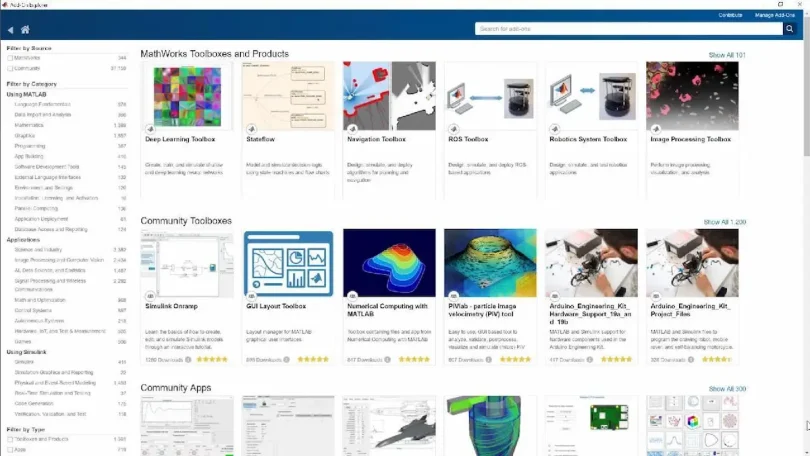

If you’re a MATLAB user, knowing the best MATLAB add-ons 2026 can dramatically improve your productivity, efficiency, and creativity. MATLAB add-ons are powerful extensions that expand the capabilities of MATLAB beyond its base functionality. Whether you’re an engineer, researcher, data scientist, or student, the right add-ons can help you perform tasks faster, tackle complex problems, and explore areas like machine learning, robotics, or signal processing.
In this detailed guide, we’ll explore what MATLAB add-ons are, how to install them, the top add-ons in 2026, and practical tips to maximize their benefits.
What Are MATLAB Add-Ons?
MATLAB add-ons are tools, apps, and toolboxes that enhance MATLAB’s base environment. They can include:
- Toolboxes: Pre-built sets of functions for specific tasks such as data analysis, image processing, or statistics.
- Apps: Interactive user interfaces that simplify complex MATLAB workflows without requiring extensive coding.
- Support Packages: Allow MATLAB to communicate with external hardware like Arduino, Raspberry Pi, cameras, or sensors.
Think of add-ons as “boosters” for MATLAB. They save time, reduce coding errors, and let you focus on solving problems rather than reinventing the wheel.
How to Access and Install MATLAB Add-Ons
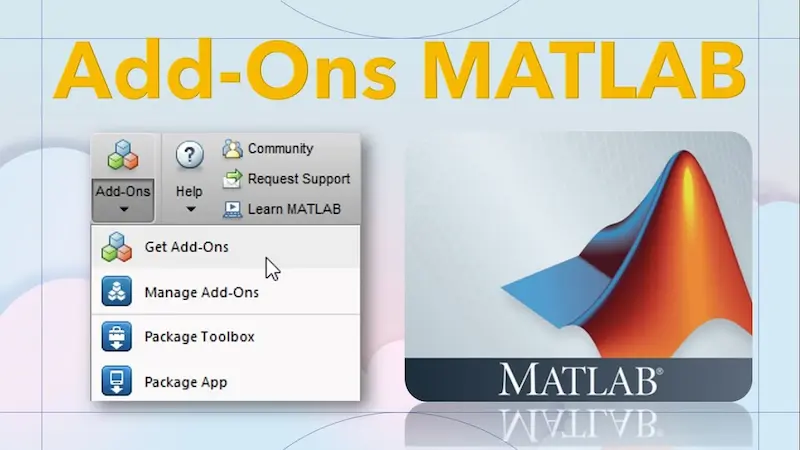
Installing MATLAB add-ons is straightforward. Here’s a step-by-step guide:
- Open MATLAB.
- Go to the Home tab.
- Click Add-Ons → Get Add-Ons.
- Browse or search for the add-on you want.
- Click Install and follow the instructions.
Many add-ons are free, while some require a paid license. Once installed, they integrate directly into your MATLAB environment and can be accessed from the command line, scripts, or apps.
Best MATLAB Add-Ons 2026
Here’s a detailed look at the best MATLAB add-ons 2026 and why they’re worth having:
1. Deep Learning Toolbox
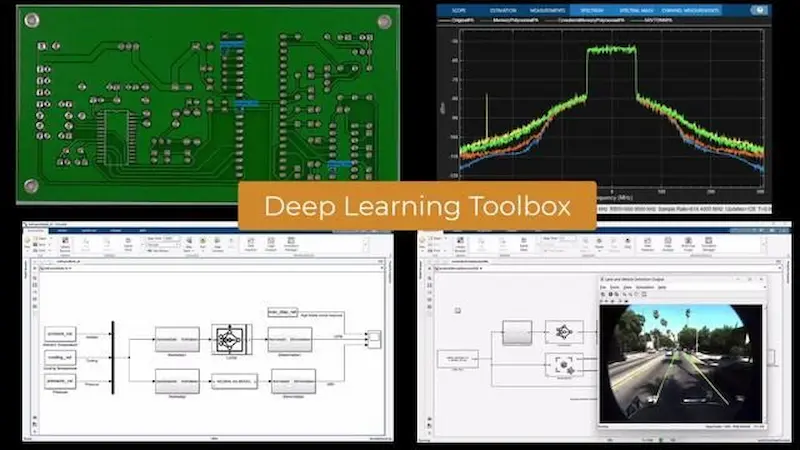
The Deep Learning Toolbox is perfect for anyone working with artificial intelligence or neural networks. It allows you to design, train, and simulate deep learning models using pre-built layers and algorithms.
Key Features:
- Create convolutional, recurrent, and custom neural networks.
- Train models on GPUs for faster computation.
- Integrate with image and signal processing toolboxes.
Use Cases:
- Image recognition, medical diagnostics, and automated defect detection.
- Predictive analytics for finance or marketing.
2. Signal Processing Toolbox
This toolbox is essential for engineers and scientists working with audio, communication, or sensor data. It provides advanced filtering, spectral analysis, and signal visualization tools.
Key Features:
- FFT, filter design, and time-frequency analysis.
- Real-time signal acquisition and analysis.
- Integration with Simulink for system simulation.
Use Cases:
- Audio and speech processing.
- Wireless communication signal analysis.
- Vibration and sensor data analysis.
3. Image Processing Toolbox
The Image Processing Toolbox is perfect for anyone working with images or videos. You can enhance images, detect features, segment objects, and even automate visual inspections.
Key Features:
- Image enhancement, restoration, and segmentation.
- Geometric transformations and morphological operations.
- Support for deep learning-based image classification.
Use Cases:
- Medical imaging analysis (e.g., MRI scans).
- Industrial quality control.
- Object detection and tracking in videos.
4. Simulink
Simulink is a graphical environment for modeling, simulating, and analyzing dynamic systems. It is widely used in engineering, robotics, and automotive applications.
Key Features:
- Drag-and-drop system modeling.
- Real-time simulation and testing.
- Integration with MATLAB for algorithm design and data analysis.
Use Cases:
- Designing control systems for drones or robots.
- Simulating automotive and aerospace systems.
- Modeling communication systems.
5. Robotics System Toolbox
This toolbox is a must-have for robotics enthusiasts and researchers. It provides algorithms and tools for designing, simulating, and testing robots and autonomous systems.
Key Features:
- Path planning, kinematics, and motion simulation.
- Integration with ROS (Robot Operating System).
- Support for robot sensors and actuators.
Use Cases:
- Autonomous vehicle development.
- Industrial robot simulations.
- Robot navigation and mapping projects.
6. Datafeed Toolbox
For financial analysts and data scientists, the Datafeed Toolbox allows you to access and analyze live market data. It connects MATLAB to financial data sources like Bloomberg, Reuters, and Yahoo Finance.
Key Features:
- Real-time data acquisition.
- Historical data analysis and visualization.
- Algorithmic trading and financial modeling.
Use Cases:
- Stock market analysis.
- Algorithmic trading model development.
- Portfolio optimization and risk analysis.
7. Arduino and Raspberry Pi Support Packages
These support packages allow MATLAB to communicate with hardware devices like Arduino and Raspberry Pi. Perfect for prototyping IoT devices, robotics experiments, or sensor data collection.
Key Features:
- Control hardware directly from MATLAB.
- Access sensors, motors, and actuators.
- Run MATLAB code on embedded devices.
Use Cases:
- Home automation projects.
- Robotics and IoT prototypes.
- Educational STEM experiments.
8. Audio Toolbox
The Audio Toolbox provides algorithms for audio signal processing, speech enhancement, and music analysis.
Key Features:
- Audio filters and effects.
- Noise reduction and speech enhancement.
- Spectral and time-domain analysis.
Use Cases:
- Audio research and music production.
- Voice recognition and speech analysis.
- Acoustic signal monitoring.
9. Statistics and Machine Learning Toolbox
This toolbox is ideal for anyone analyzing data or building predictive models. It includes tools for hypothesis testing, regression, clustering, and classification.
Key Features:
- Descriptive and inferential statistics.
- Machine learning model training and evaluation.
- Automated data preprocessing and visualization.
Use Cases:
- Predicting customer behavior.
- Medical data analysis.
- Manufacturing quality control.
You may also like to read this:
Latest Engineering Research Updates 2026 You Can’t Miss – MATLAB News
MATLAB Research Papers Explained – Complete Guide
Current MATLAB Scientific Research: Key Insights & Trends
Exploring New Discoveries MATLAB Applications In 2025
MATLAB Software Tools Guide: Complete Beginner Tutorial
10. Computer Vision Toolbox
The Computer Vision Toolbox is essential for tasks involving video or image analysis. It integrates well with deep learning models for advanced vision applications.
Key Features:
- Object detection, tracking, and 3D reconstruction.
- Camera calibration and stereo vision support.
- Integration with GPU for accelerated processing.
Use Cases:
- Surveillance and security systems.
- Autonomous vehicle perception.
- Augmented reality applications.
Tips for Choosing the Right Add-Ons
- Identify Your Needs: Focus on add-ons that align with your projects.
- Check Compatibility: Make sure the add-on supports your MATLAB version.
- Test Before Buying: Use trials to explore features before purchasing.
- Combine Add-Ons: For example, Deep Learning Toolbox + Computer Vision Toolbox can solve advanced AI projects efficiently.
- Keep Updated: Regularly update your add-ons to access new features and bug fixes.
FAQs
Q1: Are MATLAB add-ons free?
A1: Some are free, but many specialized toolboxes require a paid license.
Q2: Can I install multiple add-ons simultaneously?
A2: Yes, MATLAB allows multiple installations via the Add-On Explorer.
Q3: Are add-ons compatible with MATLAB Online?
A3: Many are, but hardware support packages often require the desktop version.
Q4: How do I update add-ons?
A4: Open Add-On Manager, check for updates, and click Update.
Q5: Can I uninstall an add-on?
A5: Yes, select the add-on in the Add-On Manager and click Uninstall.
Conclusion
The best MATLAB add-ons 2026 offer incredible opportunities to streamline your workflow, explore advanced functionalities, and tackle complex problems with ease. Whether you are developing AI models, analyzing signals, working with images, or building robotics projects, the right add-ons can make MATLAB an even more powerful tool.
Explore these add-ons, experiment with their features, and elevate your MATLAB experience to a whole new level!